These guides explain how to mount and operate the Explorer Video Lights with your Seavu Explorer or Explorer+ housing. Follow the steps carefully before use to ensure the lights are fitted securely, charged correctly and ready for underwater viewing or filming.
Lights
Mounting
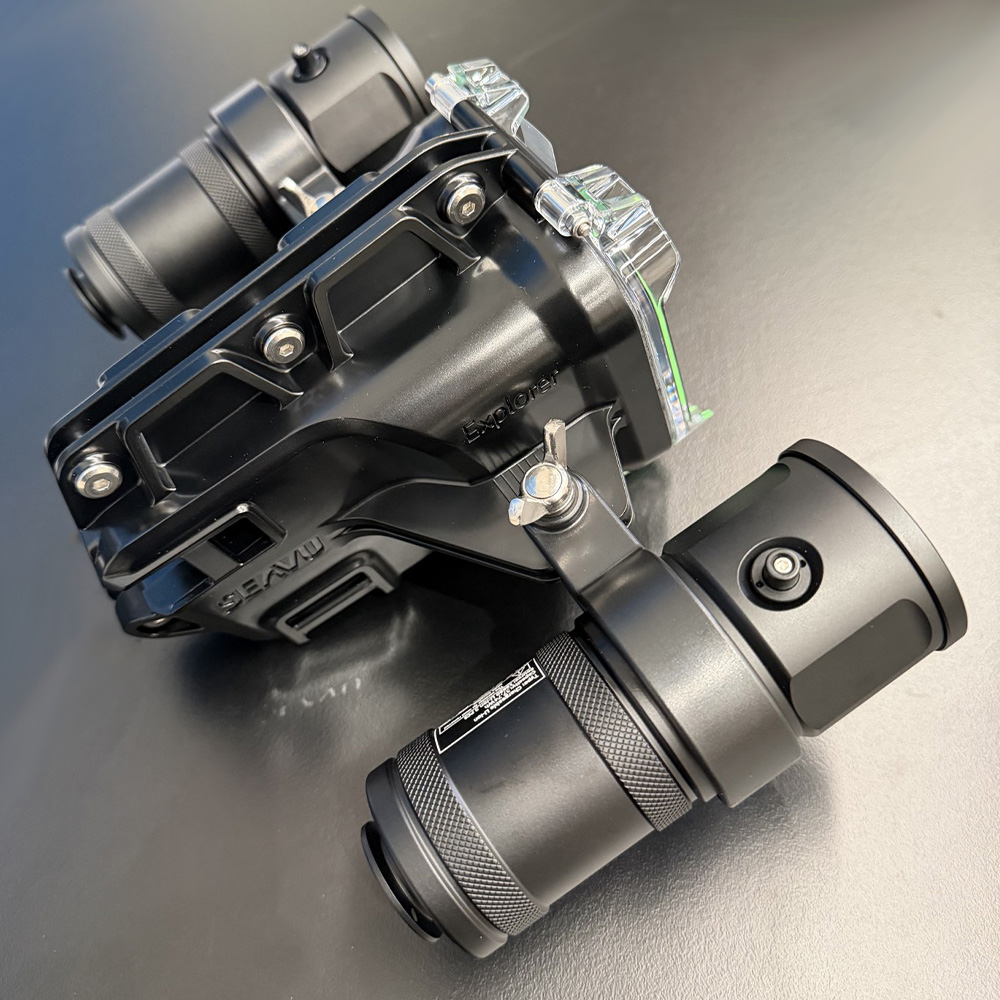
Step 1
Fit the mounting bracket around the light.
Position the bracket around the top neck of the light, near the rear section of the light head.
Make sure the threaded nut built into the bracket is positioned underneath.
Position the light switch at the top for easy access.
Step 2
Position the light and bracket against the side mounting point on the Explorer housing.
Line up the bracket with the mounting hole on the housing.
Step 3
Insert the mounting bolt through the housing mounting point and into the threaded nut built into the light mount.
Make sure the bolt lines up correctly before tightening. Do not force it.
Step 4
Tighten the bolt firmly.
The light should feel secure and should not move freely.
Use a pair of pliers for a very secure hold.
Do not overtighten, as this may damage the bracket, light body or mounting hardware.
Step 5
Angle the light slightly outward from the camera view.
This helps reduce backscatter, which is the bright reflection caused by particles in the water.
Step 6
Repeat the same process for the second light on the opposite side of the housing.
Try to match the angle of both lights so the camera view is evenly lit.
Operating

Step 1
Fully charge both lights before use.
The lights are supplied with a USB C charging cable only. A wall charger is not included.
To charge the light, unscrew the bottom half of the light body to expose the USB C charging port.
Make sure the light is completely dry before unscrewing the body or connecting the USB C cable.
Step 2
Connect the supplied USB C cable to the charging port.
Connect the other end to a 5V power source, such as 5V/1A, 5V/2A or 5V/3A.
The red indicator light shows charging is in progress.
When fully charged, the blue light turns on and the red light turns off.
Step 3
Once charging is complete, disconnect the USB C cable.
Screw the bottom half of the light body back on securely before use.
Make sure the seal is clean, seated correctly and free from sand, salt or grit.
Do not use the light underwater if the body seal, charging port or thread appears damaged.
Step 4
Press and hold the button to turn the light on.
The button is located on the top of the light when mounted correctly.
Step 5
Press the button again to cycle through the brightness modes.
Use lower brightness for close subjects, clear water or shallow water.
Use higher brightness for deeper water, darker conditions or wider shots.
Step 6
Adjust the light angle while viewing the camera image.
Angle the lights slightly outward from the camera view to reduce backscatter.
If the image looks too dark in the centre, angle the lights slightly inward or move closer to the subject.
If the image looks too bright or washed out, lower the brightness or angle the lights further outward.
Step 7
Press and hold the button to switch the light off.
Make sure both lights are switched off before rinsing, drying, storing or charging.
Step 8
After use, leave the lights closed and rinse them in fresh water.
Press each switch several times while rinsing to remove salt from around the button.
Allow the lights to dry completely before unscrewing the body or charging.