Latest DJI Osmo 360 waterproof case update (October 2026)
After more than a year of waiting, DJI has released the Osmo 360 Invisible Waterproof Case. If you own an original Osmo 360, there is a catch: the camera does not yet have the Waterproof Case mode that DJI recommends using underwater.
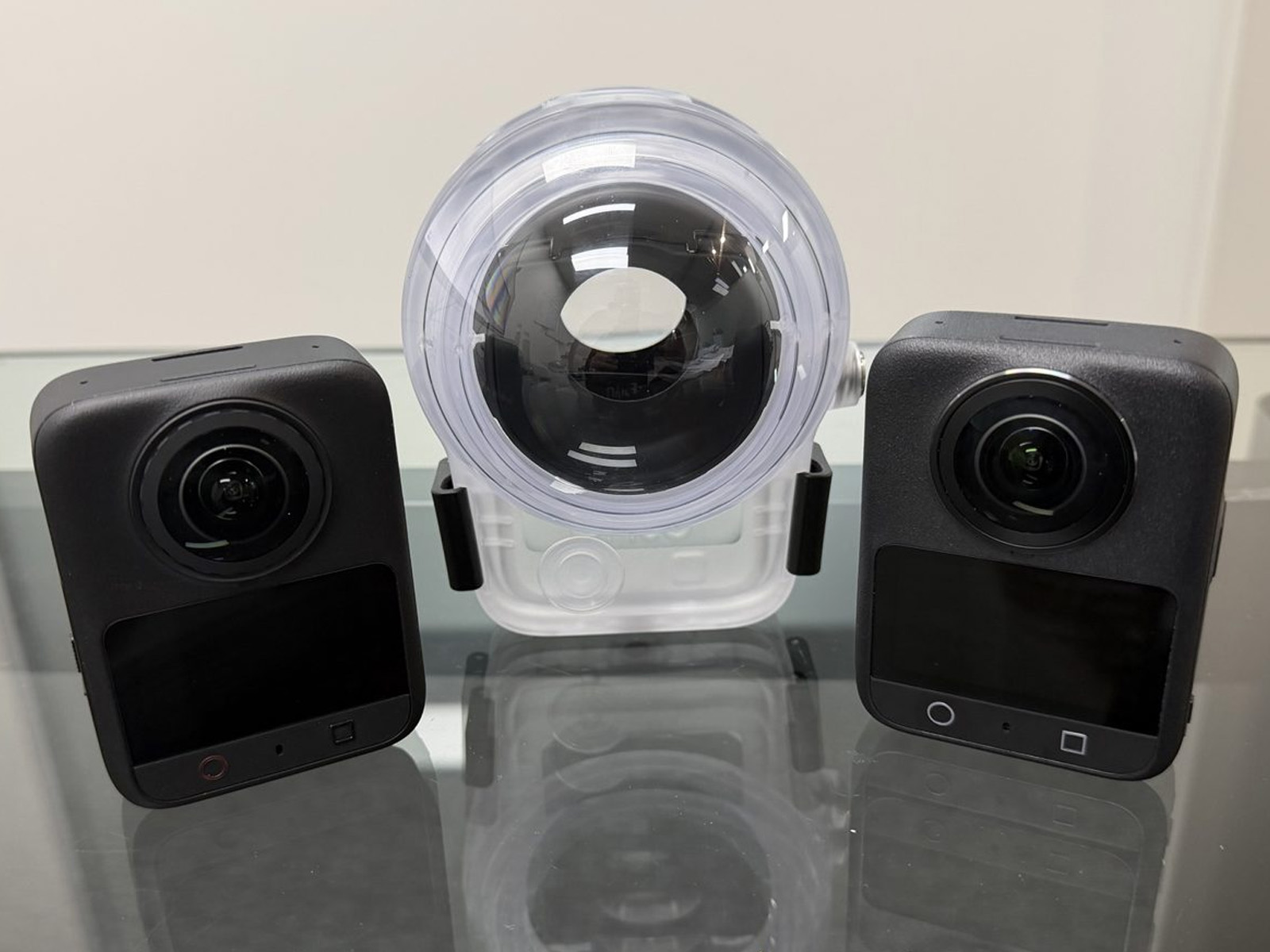
We own both the Osmo 360 and the Osmo 360 II, and we have managed to get hold of the new case. To find out how it works across both cameras, we contacted DJI support. Here is what we found.
The short answer
- The DJI Osmo 360 Invisible Waterproof Case is released and works with both the Osmo 360 and Osmo 360 II.
- It sold out quickly and has been out of stock for weeks.
- Waterproof Case mode is available on the Osmo 360 II, but not on the original Osmo 360.
- DJI support told us the mode is planned for the Osmo 360 in a future firmware update, but gave no date.
The Invisible Waterproof Case is finally out
The case is rated to 50m and is compatible with both the Osmo 360 and Osmo 360 II. DJI says its custom optical lens compensates for underwater refraction to keep panoramic stitching natural, and it is designed to stay out of the shot for clean 360 footage.
It also has a 1/4″ thread at the bottom and comes with anti-fog inserts, two light shields and a protective pouch.
Why it is hard to get
Demand was clearly higher than supply. The case sold out soon after release and has been out of stock for weeks at the retailers we have checked. If you want one, we suggest registering for stock alerts with DJI or an authorised reseller.
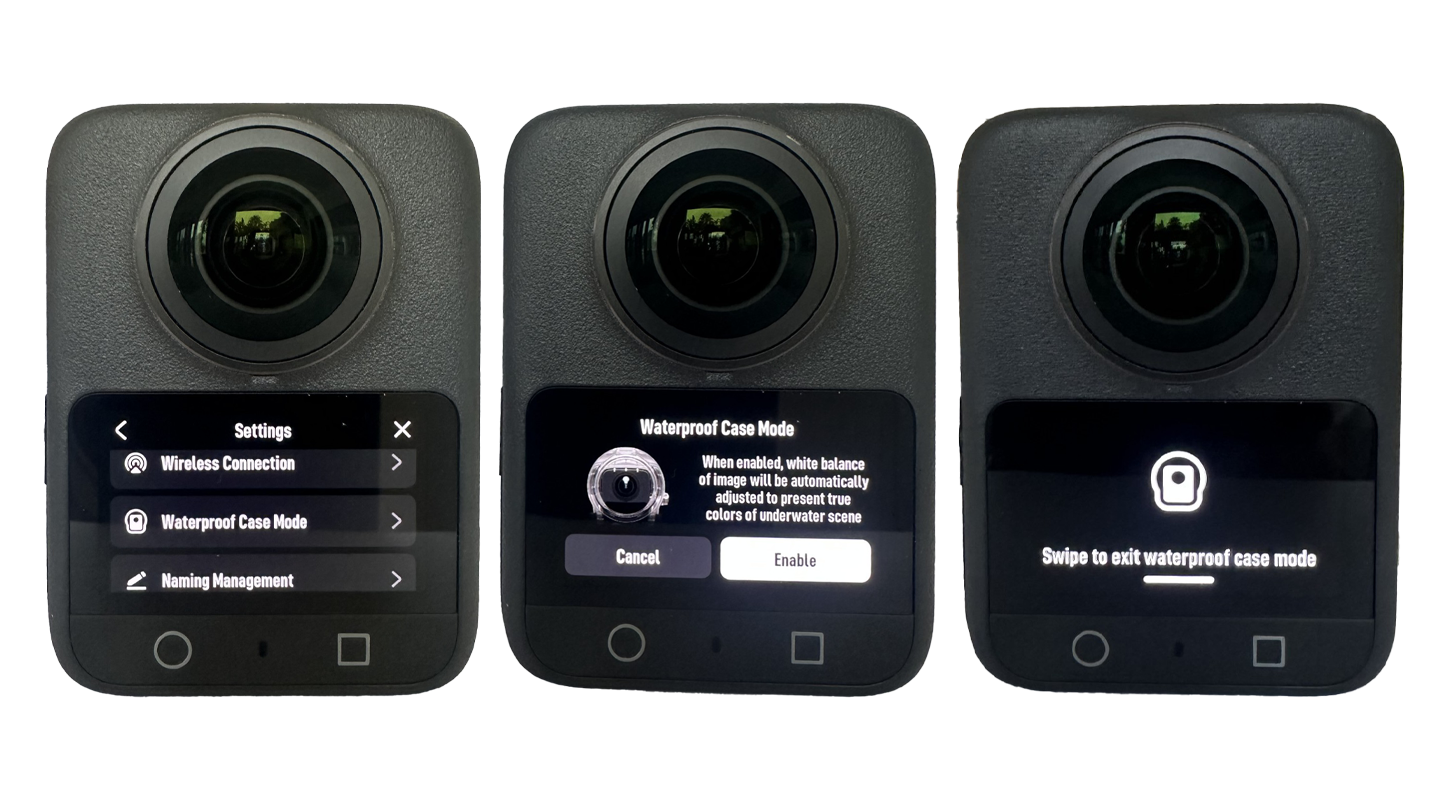
Waterproof Case mode: on the 360 II, but not the original 360
On the Osmo 360 II, Waterproof Case mode is in the camera settings. On the original Osmo 360, it is not, even on the latest firmware (01.03.08.70 at the time of writing).
This is not the first time the mode has appeared on the Osmo 360. When we first powered on our unit at launch, Waterproof Case mode was in the settings. It disappeared after a firmware update and has not returned.
What Waterproof Case mode does
With Waterproof Case mode on, the camera is controlled using the power button, because the touchscreen cannot be used inside the case:
- Press once to take a photo or start and stop recording
- Press twice to open the Quick Switch page
- Short press repeatedly to cycle through shooting modes
DJI support also told us the Osmo 360 II may have stitching issues underwater if Waterproof Case mode is not turned on. Their advice is to always enable it before entering the water.
What this means for original Osmo 360 owners
You can use the case with the original Osmo 360, but without Waterproof Case mode you lose the button controls designed for the case. Based on DJI’s advice for the 360 II, stitching may also not be fully optimised underwater until the mode arrives.
When we asked whether the mode will come to the Osmo 360, DJI support said their engineers are working to make it available in a future firmware update, and that any update will be posted on the DJI website. They could not give a timeframe. Earlier, a different support agent told us the mode was already available on both models, so we recommend waiting for it to appear in DJI’s official release notes before relying on it.
What you can do in the meantime
- Start recording before you seal the case. Without button control, set your mode and start recording first.
- Turn the screen off after you start recording. DJI support suggested this to reduce glare in the footage.
- Use the anti-fog inserts. The Osmo 360 is prone to fogging in water. Read our Why the DJI Osmo 360 fogs up in water guide.
- Check firmware before each trip. Waterproof Case mode should appear in the camera settings once DJI adds it.
Third party cases
Third party housings are easier to find right now and some are rated to 40m or more. Keeping the camera dry is only part of the job, though. A 360 housing also needs to correct refraction across both lenses to keep the stitch line clean, and most third party cases are not tuned to the camera’s optics and software the way an official case is. Expect more visible stitch lines and softer joins.
Why 360 cameras struggle underwater
Water bends light differently on each lens, which causes mismatched stitching, distortion and visible seams. The Osmo 360 camera body is waterproof to 10m, but DJI does not recommend using it underwater without a case for this reason. A purpose built case with corrective optics is what makes clean underwater 360 footage possible.
How we got here
- At launch, Waterproof Case mode appeared in the Osmo 360 settings, then disappeared after a firmware update.
- Australian reseller D1Store briefly listed the case (SKU CP.OS.00000454.01) in 2025 before the page was removed.
- DJI told us at the time that the case was not available and could not say when it would be.
- The case was finally released alongside the Osmo 360 II, with compatibility for both cameras.
Why it matters for Seavu users
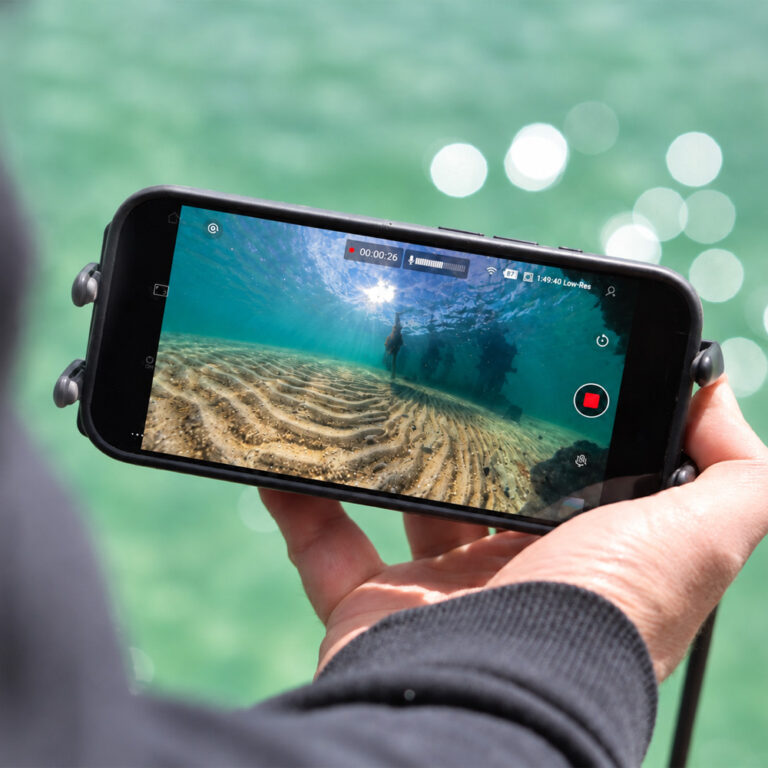
A properly housed Osmo 360 opens up live 360 underwater viewing for inspections, research, fishing and filmmaking. We now have the official case in hand alongside both cameras and will be testing it in the field. We will update this article with what we find.
Read next: DJI Osmo 360 II: Can DJI Fix What They Got Wrong?
Also read: Live 360 Underwater Footage on Your Phone with the Seavu Orbit 360
Summary
- The DJI Osmo 360 Invisible Waterproof Case is out, rated to 50m and compatible with both the Osmo 360 and Osmo 360 II.
- It sold out quickly and has been out of stock for weeks.
- Waterproof Case mode is on the Osmo 360 II but not the original Osmo 360.
- DJI says to always use Waterproof Case mode underwater on the 360 II to avoid stitching issues.
- DJI support says the mode is planned for the Osmo 360 in a future firmware update, with no date given.