It is the WiFi band that decides it, not the brand
Seavu works with any action camera that connects on 2.4GHz WiFi and takes a standard GoPro style mount. That band is the thing that decides it, rather than the brand on the camera. Seavu carries your camera’s own WiFi signal up the cable to the surface, and that link runs at 2.4GHz, so your camera has to be on the same band.
Most action cameras default to 5GHz, however GoPro and DJI both let you change it in the camera menu. The cameras listed below are the models we test and support. Other action cameras will generally connect as well, provided they can run on 2.4GHz.
Action camera compatibility
| Camera | Livestream | Livestream w/ Recording | Mobile App |
|---|---|---|---|
| DJI Osmo Action 6 | Yes | Yes | DJI Mimo |
| DJI Osmo Action 5 Pro | Yes | Yes | DJI Mimo |
| DJI Osmo Action 4 | Yes | Yes | DJI Mimo |
| DJI Osmo Action 3 | Yes | Yes | DJI Mimo |
| DJI Osmo Action 2 | Yes | Yes | DJI Mimo |
| DJI Osmo Action | Yes | Yes | DJI Mimo |
| GoPro Mission 1 | Yes | Yes | GoPro Quik |
| GoPro Mission 1 Pro | Yes | Yes | GoPro Quik |
| GoPro HERO13 Black | Yes | Yes | GoPro Quik |
| GoPro HERO12 Black | Yes | Yes | GoPro Quik |
| GoPro HERO11 Black | Yes | Yes | GoPro Quik |
| GoPro HERO10 Black | Yes | No | GoPro Quik |
| GoPro HERO9 Black | Yes | No | GoPro Quik |
| GoPro HERO8 Black | Yes | Yes | GoPro Quik |
| GoPro HERO7 Black | Yes | Yes | GoPro Quik |
| GoPro HERO6 Black | Yes | Yes | GoPro Quik |
| GoPro HERO5 Black | Yes | Yes | GoPro Quik |
The camera’s 2.4GHz WiFi band must be selected in order to connect the camera to a mobile device. See full details. GoPro and DJI apps require devices that meet minimum operating system requirements. See full details.
What about other camera brands
We test and support GoPro and DJI, so those are the models listed above. Still, the requirement is the WiFi band rather than the badge. Plenty of other action cameras run on 2.4GHz only, which means they connect to a Seavu kit without any setting to change at all. We do not test or support those cameras, so we cannot promise anything about image quality, app behaviour or battery life, but the connection itself will work.
Why Insta360 cameras are not compatible
Insta360 is the one brand we specifically recommend against. Insta360 cameras run on both 2.4GHz and 5GHz, and the camera selects the band on its own. Nothing in the menus lets you fix it to 2.4GHz. In practice the connection can look fine at first and then drop out when the camera switches, and a live feed you cannot rely on is worse than no live feed at all.
This is a setting Insta360 does not expose rather than a fault in the camera. If that changes in a future firmware update, we will test it again and update this page.
What about 360 cameras?
For 360 filming, we now make a dedicated kit. The Seavu Orbit 360 Kit is built for the DJI Osmo 360 and Osmo 360 II, and it sends the live 360 view to your phone or tablet so you can look around in any direction while the camera is underwater.
Orbit 360 Kit compatibility
| Camera | Livestream | Livestream w/ Recording | Mobile App |
|---|---|---|---|
| DJI Osmo 360 II | Yes | Yes | DJI Mimo |
| DJI Osmo 360 | Yes | Yes | DJI Mimo |
A 360 camera captures everything around it, so a standard rig ends up in the shot. The Orbit 360 solves this in two ways. The Invisible Pole disappears from the stitched footage, so shots look free floating, while the Drop Rig lowers the camera to the bottom and holds it steady.
Underwater, a 360 camera also needs a proper housing. Without one, the convex fisheye lenses cause refraction and stitching errors, and DJI does not recommend using the Osmo 360 underwater without a case. The Orbit 360 therefore requires the official DJI Osmo 360 Invisible Waterproof Case, rated to 50m. The original Osmo 360 does not yet have Waterproof Case mode, so the Osmo 360 II is the better choice for now. We cover this in our look at the Osmo 360 II underwater.
Other 360 cameras, including Insta360 models, are not supported. To see how live 360 viewing works, read Live 360 Underwater Footage on Your Phone with the Seavu Orbit 360.
Live preview while recording on GoPro
You may have noticed that the HERO10 Black and HERO9 Black livestream, yet cannot livestream while recording. That gap is not a Seavu limitation and it is not an oversight by GoPro either.
Live preview while recording was withheld across the HERO9 to HERO11 generation during a patent dispute between GoPro and Contour IP Holding, which claimed patents covering remote camera operation and live viewing of footage. GoPro shipped the HERO12 with the feature restored, and in August 2024 a firmware update brought it back to the HERO11 as well. The HERO10 and HERO9 never received that update, so they remain preview only while recording.
If you are choosing a GoPro and you want to watch the feed while you record, pick the HERO11 Black or newer and make sure the camera is running the latest firmware.
Checking a camera that is not listed
New cameras appear constantly, so this list will never be complete. You can check one yourself in about a minute. Open the camera’s WiFi or wireless settings and look for a band or frequency option. If you can select 2.4GHz, the camera will work with Seavu. If the camera only offers 2.4GHz and has no 5GHz at all, it will also work. Only when the camera supports 5GHz with no way to change it, as Insta360 does, will you run into problems.
If you are still unsure, send us the make and model and we will tell you straight away.
Why the 52m cable needs a newer camera
The Seeker Marine cable comes in 3m, 7m, 17m, 27m and 52m. Every camera in the action camera table above works on the shorter runs. The 52m cable is the exception, because it needs a camera with WiFi 6.
Over 52m the signal has much further to travel and far less margin to play with. WiFi 6 handles that run reliably, whereas older WiFi standards do not, so a camera that performs perfectly on a 27m cable can struggle on the 52m. Five models currently qualify: the DJI Osmo Action 6 and Osmo Action 5 Pro, and the GoPro HERO13 Black, Mission 1 and Mission 1 Pro. Every other camera in the action camera table works on the 27m cable and shorter.
Worth noting that 52m is the length of the cable rather than a depth rating. It describes how far the signal travels, not how deep the camera can go. Waterproofing is a separate limit set by your camera or its housing, and Seavu housings are rated IPX8 to 50m.
What Seavu adds once your camera is underwater
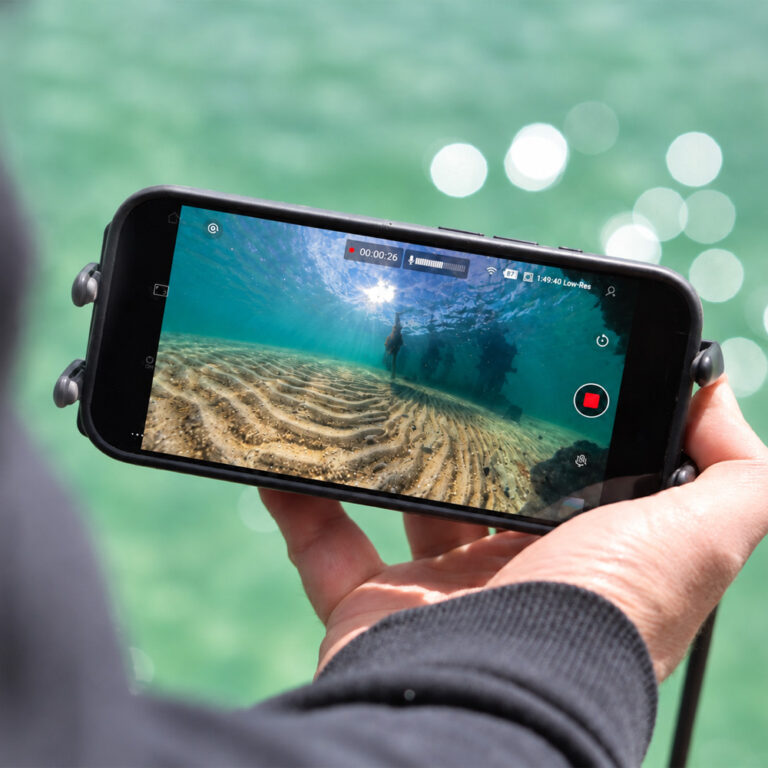
WiFi and Bluetooth do not pass through water, so no action camera can stream a live view once it is below the surface. That is physics rather than a firmware shortcoming, and it applies to every brand equally. A Seavu system captures the camera’s signal underwater and carries it up the cable, so you watch a live feed on your phone or tablet at the surface while the camera keeps filming below.
Overall, if your camera can sit on 2.4GHz, a Seavu kit will show you what it sees. Have a look at the Seavu underwater camera kits to find the setup that suits your work.