Getting the right GoPro underwater settings makes a huge difference to video quality. In this guide, we break down the best GoPro underwater settings for real world use, how they perform below the surface, and how to get clearer, more consistent results.
Underwater conditions are very different to shooting above water. Light drops quickly, colours shift, and visibility can vary depending on depth and environment. Because of this, default settings often do not always deliver the best results.
This guide covers the best settings for modern GoPro cameras, including the GoPro HERO13 Black, HERO12, and HERO11, along with practical tips based on real world underwater use. If you are comparing complete setups, you can also explore our underwater camera kits and our guide to underwater cameras.
If you want a simple starting point, use this setup:
This works well in most underwater conditions and is a reliable baseline.
If you want a simple, reliable setup, GoPro’s Easy Mode is a good starting point.
Recommended setup in Easy Mode:
Easy Mode works well in shallow, well lit water, where lighting conditions are relatively stable. However, it has limitations. You cannot control ISO, colour, or fine tune exposure, which can lead to less consistent results in deeper or more challenging environments.
For the best results underwater, Pro Controls are recommended. These give you more control over exposure, colour, and image quality.
| Setting | Recommended | Why it matters |
|---|---|---|
| Resolution | 2.7K | Sharp footage without unnecessarily large file sizes |
| Frame Rate | 50fps | Smoother motion for fish, current, and moving scenes |
| Lens | Wide or Linear | Wide captures more, Linear reduces distortion for accuracy |
| ISO Min | 100 | Keeps noise low in brighter conditions |
| ISO Max | 400 (up to 800 in low light) | Prevents excessive grain and noise underwater |
| White Balance | Auto (or 5500K for consistency) | Auto adapts to changing light, manual keeps colour consistent |
| Colour | Flat | Preserves more detail for colour correction later |
| Sharpness | Low | Avoids harsh, over-processed looking footage |
| Stabilisation | On (test in your setup) | Helps smooth motion but can introduce tilt underwater |
These GoPro underwater settings provide a strong balance between clarity, smooth motion, and low noise for most underwater situations.
Protune is GoPro’s advanced settings system, now built into Pro Controls on newer cameras.
It allows you to adjust key settings such as ISO limits, white balance, colour profile, and sharpness. Many users still refer to these settings as Protune, especially on older GoPro models. On newer models, these same controls are accessed through Pro Controls.
Using Protune through Pro Controls gives you more consistent exposure, better colour control, and improved overall image quality underwater.
| Setting | Recommended | Why it matters |
|---|---|---|
| Resolution | 2.7K | Delivers sharp detail without creating large file sizes |
| Frame Rate | 50fps | Smoother motion for fish, current, and fast moving scenes |
| ISO Max | 400 | Limits noise and grain, which is more noticeable underwater |
| White Balance | Auto | Adjusts automatically to changing light conditions with depth |
| Colour | Flat | Retains more detail for colour correction during editing |
| Setting | Recommended | Why it matters |
|---|---|---|
| Resolution | 2.7K | Clear detail without unnecessary processing or file size |
| Frame Rate | 30 to 50fps | Balances smooth motion with better low light performance |
| ISO Max | 400 | Keeps noise low while maintaining usable brightness |
| White Balance | Auto | Adapts to changing light conditions as depth and water clarity shift |
| Lens | Wide | Covers more area, making it easier to spot fish and movement |
For fishing and live observation, prioritise visibility and stability over maximum resolution.
| Setting | Recommended | Why it matters |
|---|---|---|
| Resolution | 2.7K | Maintains clarity while allowing better low light performance |
| Frame Rate | 30fps | Lower frame rate lets in more light, improving brightness |
| ISO Max | 800 | Boosts brightness in darker conditions, but increases noise if pushed too high |
| White Balance | Auto or Manual | Auto adapts to changing depth, manual can help maintain consistent colour |
| Sharpness | Low | Prevents noise and grain from looking overly harsh |
In deeper water, light drops rapidly, so lowering frame rate and carefully increasing ISO helps maintain usable, balanced footage.
| Setting | Recommended | Why it matters |
|---|---|---|
| Resolution | 4K | Higher resolution allows for more accurate analysis and measurement |
| Frame Rate | 30fps | Provides stable footage while maintaining good image quality |
| Lens | Linear | Reduces distortion, ensuring shapes and distances remain accurate |
| ISO Max | 400 | Keeps noise low, which is critical for analysing fine detail |
| White Balance | Manual | Maintains consistent colour, important for comparisons and analysis |
Avoid wide lens distortion where accurate measurements and visual analysis are required.
While 4K is often recommended, it is not always necessary underwater.
In most situations, 2.7K at 50fps is a better choice because:
4K is useful if you need maximum detail or plan to crop footage later. However, for most general underwater use, 2.7K gives a better balance of quality and practicality.
GoPro uses automatic ISO, but you can control the range it operates within.
For underwater use:
This allows the camera to adjust exposure automatically while preventing excessive noise. Keeping ISO low is one of the most important factors for clear underwater footage.
Auto white balance, or AWB, works well for most underwater situations, especially when depth and lighting are constantly changing.
Manual white balance can be useful if:
For most users, AWB is the simplest and most effective option.
GoPro offers different colour profiles, typically Flat and Natural.
For underwater filming, Flat is often preferred because it preserves more detail and gives you more flexibility in post editing. If you want quicker results without editing, Natural can still work well, especially in clear water.
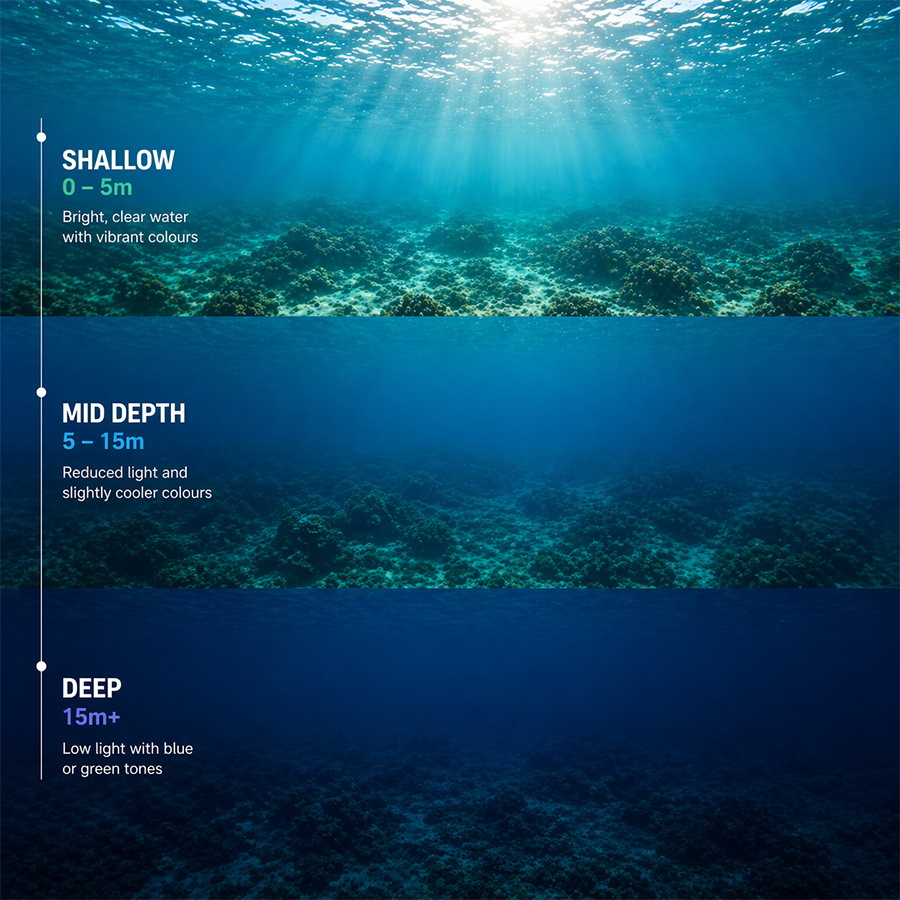
Adjusting settings based on depth improves consistency and clarity.
Water clarity has a major impact on your footage.
In murky water, we have found camera positioning often makes a bigger difference than changing camera settings.
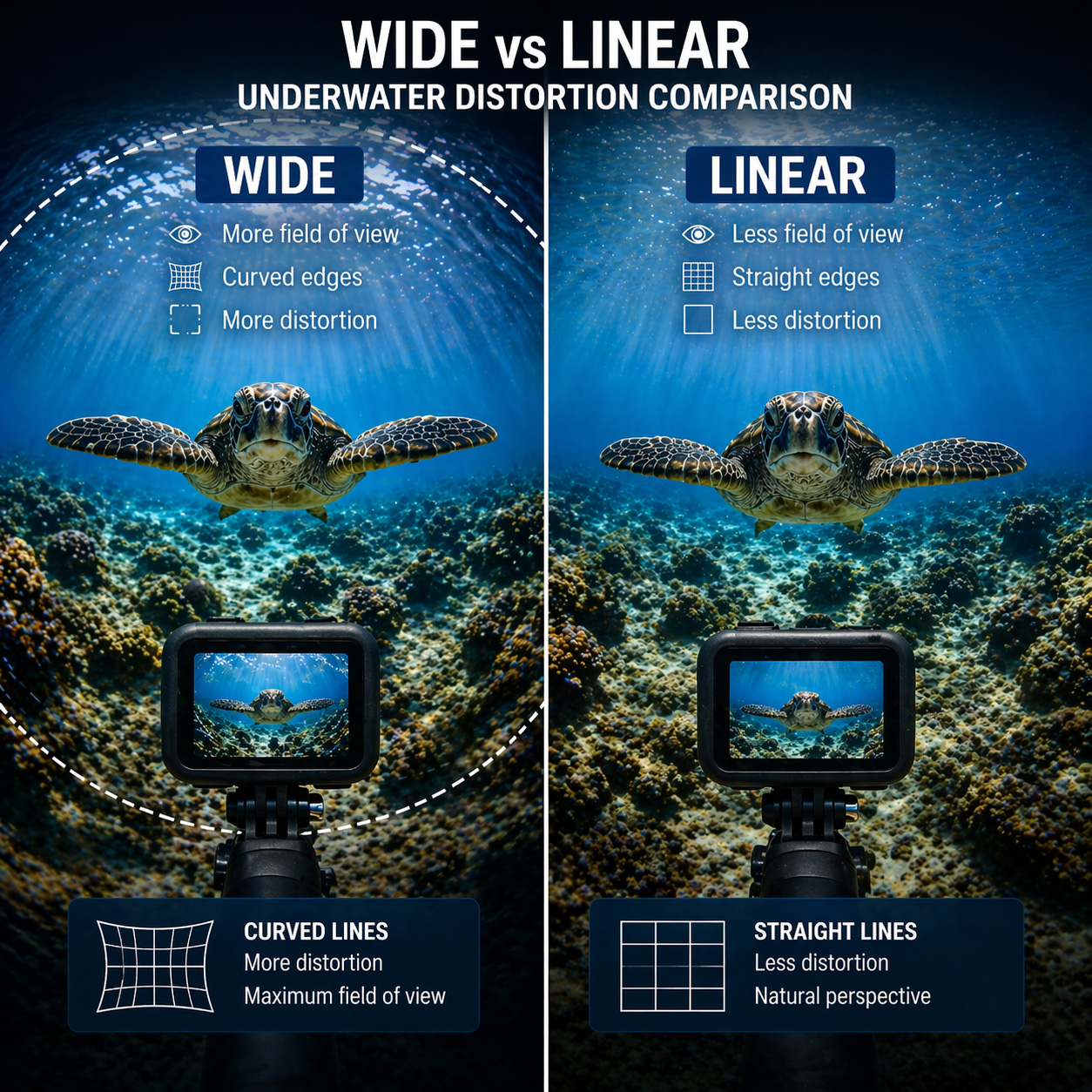
Wide lens modes capture more of the scene, but they can introduce distortion.
This can be an issue for:
Use Linear lens mode where accuracy matters.
GoPro stabilisation works well above water, but underwater it can behave differently.
In our testing, we have occasionally seen the camera introduce slight tilt underwater, even when mounted level. In some cases, the camera appears to struggle to determine orientation once submerged.
Stabilisation can still be useful, but it is worth testing in your setup to see what works best.
GoPro GPS can be useful for marking your location before deployment.
However, once underwater, GPS no longer works. Location data is only captured while the camera is above the surface.
Underwater filters were traditionally used to correct colour loss, especially in shallow water.
Modern cameras and editing tools mean they are no longer essential in many situations. In most modern setups, we have found filters are no longer required, especially if you plan to adjust colour in post.
However, filters can still be useful if:
For most users, filters are optional rather than required.
The GoPro Quik app allows you to:
This is very useful when setting up your camera above water.
GoPro cameras rely on WiFi and Bluetooth for live preview and control. These signals do not work underwater. You can learn more about why this happens in our guide to why WiFi does not work underwater.
Once submerged:
Without live viewing, you are effectively filming blind. Learn more about why this happens in our guide to underwater WiFi cameras.
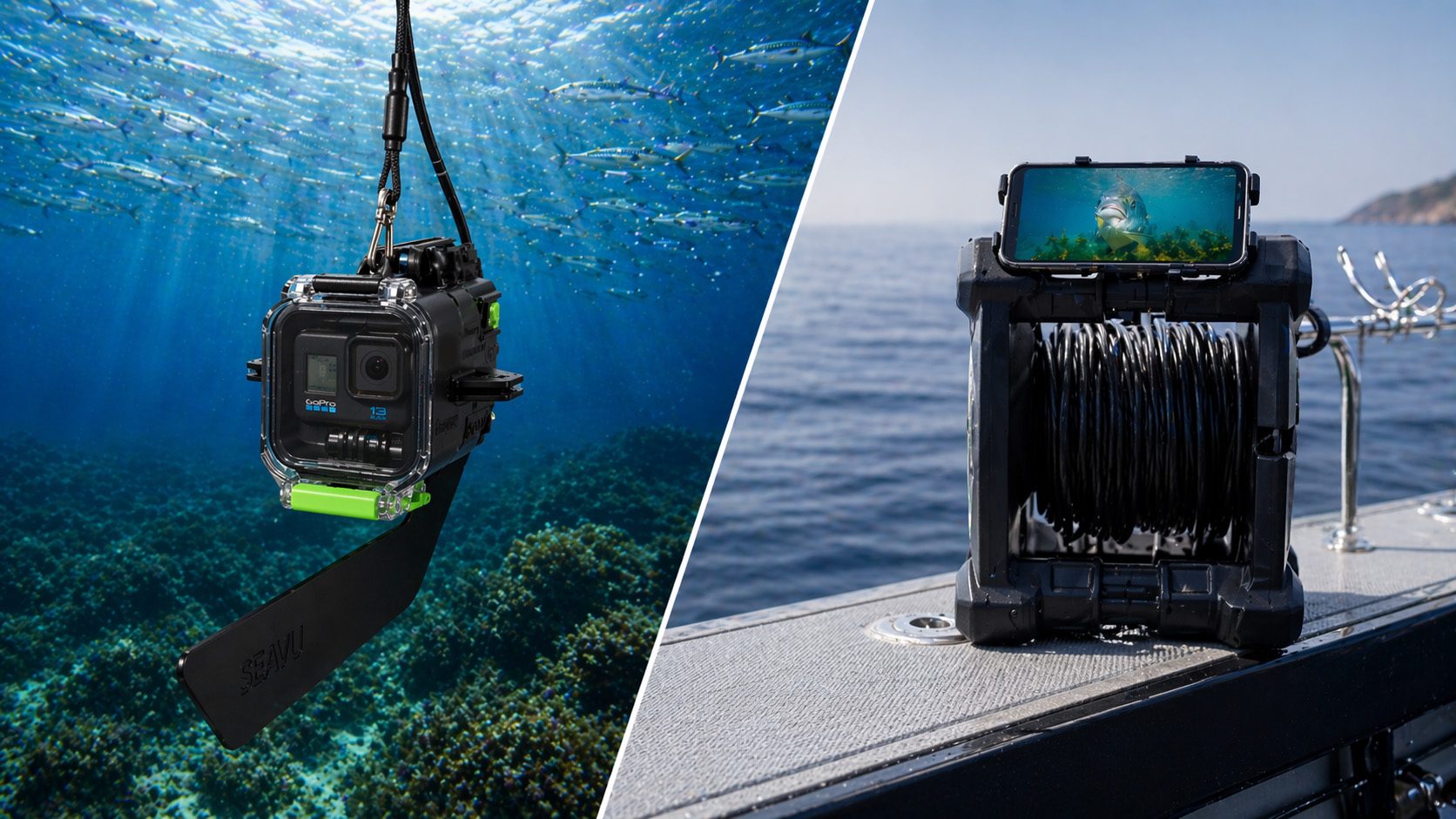
If you need to see what your camera is capturing in real time, a complete underwater camera system is required.
Standard GoPro setups rely on wireless connections, which stop working once the camera is underwater. This means you lose both visibility and control as soon as the camera is submerged.
In practice, this leads to:
This is one of the biggest limitations of using a GoPro underwater on its own.
A complete underwater camera system solves this by maintaining a live connection to the camera while it is submerged.
Systems like Seavu underwater camera kits allow you to:
Instead of relying on guesswork, you can see exactly what is happening and make adjustments immediately.
With live viewing and control, you have full visibility over your setup at all times.


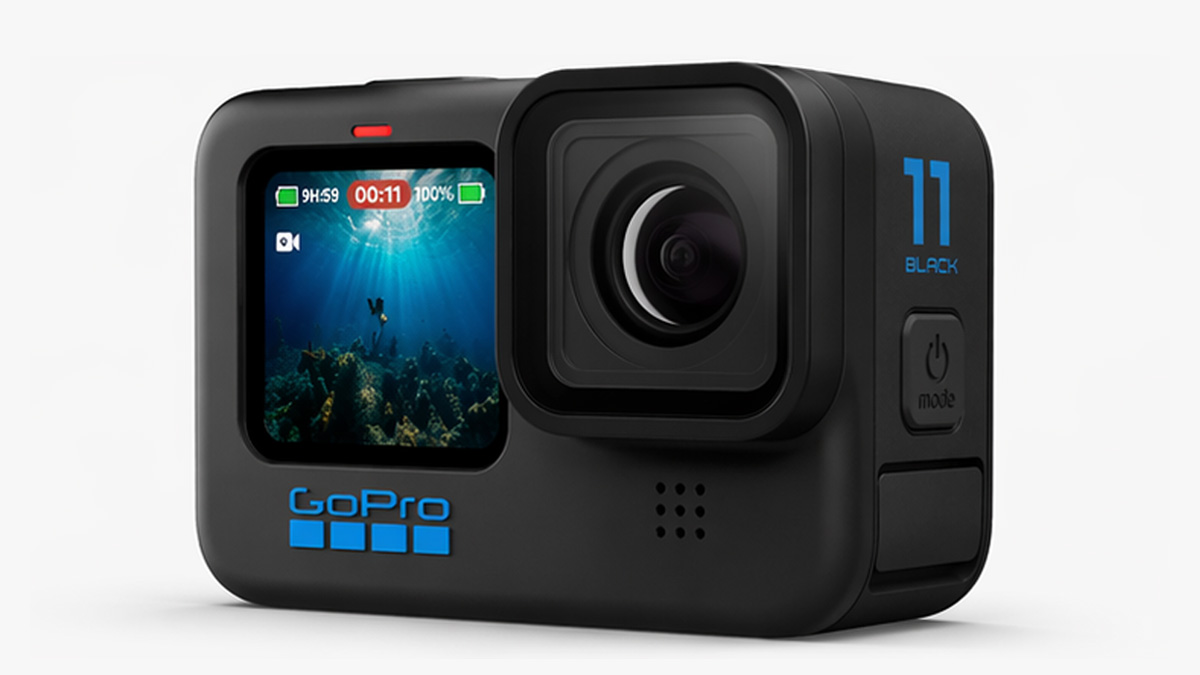
The right GoPro underwater settings improve image quality, but visibility and positioning remain key challenges below the surface.
Being able to see what your camera is capturing in real time can significantly improve results. If you are comparing different setups, you can also explore our full guide to underwater cameras.
DJI action cameras have become some of the best options for underwater filming, especially when light levels start to drop. In this guide, we break down the best underwater settings for DJI action cameras, how they perform below the surface, and how to get clearer, more consistent results in real world conditions.
One of DJI’s biggest advantages underwater is sensor performance. In our experience, cameras like the DJI Osmo Action 5 Pro and Action 6 hold detail better and produce cleaner footage in lower light than GoPro, which becomes more noticeable as you move beyond shallow water.
This guide focuses on the latest DJI action cameras, including the DJI Osmo Action 4, DJI Osmo Action 5 Pro, and DJI Osmo Action 6, along with practical advice based on real underwater use. If you are comparing complete systems, you can also explore our underwater camera kits and our guide to underwater cameras.
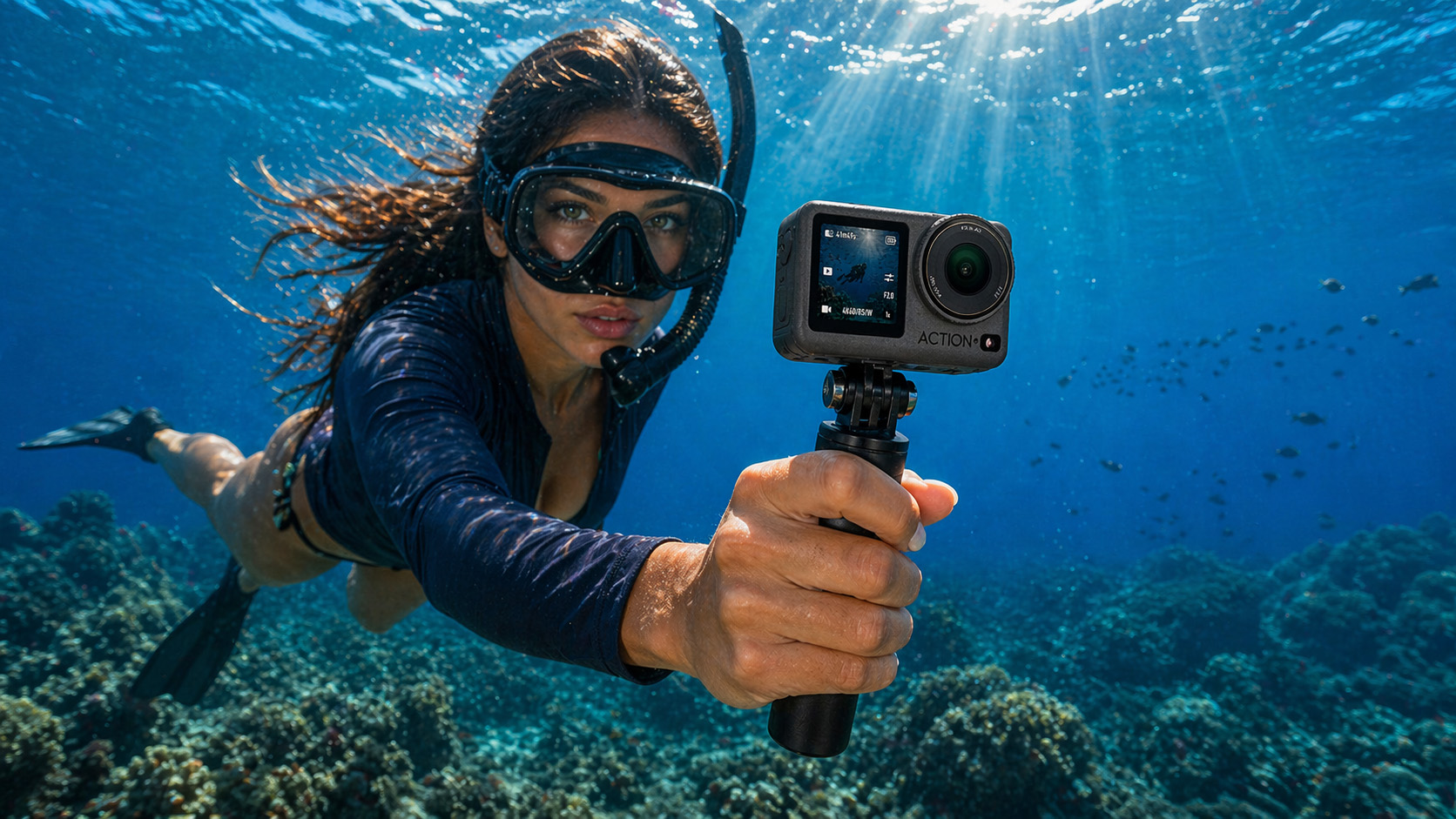
If you want a reliable starting point, use this:
This setup gives a strong balance between image quality, smooth motion, and low noise in most underwater situations.
DJI cameras perform well straight out of the box, especially in shallow water where light is stable. However, underwater conditions change quickly. Light fades with depth, colours shift, and visibility can vary from one moment to the next.
For that reason, manual control usually delivers more consistent results. Locking in a few core settings helps reduce unwanted exposure changes, inconsistent colour, and noise.
For more consistent underwater footage, use manual control:
These settings provide a strong baseline across most underwater conditions.
White balance plays a big role underwater because colour changes quickly with depth.
As you go deeper, warmer colours like red and orange disappear first, leaving footage looking blue or green. How you handle white balance can affect how natural your footage looks.
For most situations, Auto white balance works very well.
DJI cameras are good at adjusting to changing light conditions, especially when depth and visibility vary. This makes AWB the best option for general use.
Manual white balance is useful when:
It helps keep colour consistent across clips, which can be important for research or post production.
Underwater conditions change quickly with depth, so your settings should adjust accordingly.
In deeper water, the DJI Action 5 Pro and Action 6 tend to maintain better image quality due to their larger sensors, producing cleaner and more usable footage than most action cameras.
Choosing the right lens mode can make a noticeable difference underwater.
However, wide mode can introduce distortion, especially around the edges of the image.
This is particularly important for:
For most underwater use, wide mode is the better choice because it increases your chances of capturing what you are trying to see.
If accuracy is important, switch to linear mode to avoid distortion.
One of the biggest advantages DJI has over GoPro underwater is low light performance. The DJI Osmo Action 5 Pro and Action 6 use larger sensors, which capture more light per frame. This makes a real difference once you move deeper, shoot in darker water, or work in lower visibility.
In practice, this usually means:
In our experience, the Action 5 Pro and Action 6 produce more reliable underwater results in low light than GoPro, particularly beyond shallow water.
| Setting | Recommended | Why it matters |
|---|---|---|
| Resolution | 2.7K | Delivers sharp detail without creating large, unnecessary files |
| Frame Rate | 50fps | Smoother motion, especially for fish and movement |
| ISO Max | 400 | Keeps noise under control as light drops |
| White Balance | Auto | Adapts quickly as depth and light change |
| Colour | D-Cinelike | Retains more detail for editing later |
For most underwater situations, this setup gives the best balance between clarity, motion, and low noise without overcomplicating things.
| Setting | Recommended | Why it matters |
|---|---|---|
| Resolution | 2.7K | Clear footage without unnecessary processing load |
| Frame Rate | 30 to 50fps | Lower frame rates help in low light, higher helps with movement |
| ISO Max | 400 | Maintains a clean image without introducing grain |
| White Balance | Auto | Adjusts naturally as conditions change |
| Lens | Wide | Covers more area, making it easier to spot fish and activity |
For fishing and live observation, prioritise visibility and stability over maximum resolution. Being able to clearly see what is happening matters more than ultra high detail.
| Setting | Recommended | Why it matters |
|---|---|---|
| Resolution | 2.7K | Keeps footage usable without pushing the sensor too hard |
| Frame Rate | 30fps | Lets in more light, which is critical at depth |
| ISO Max | 800 | Boosts brightness when light is limited, but should be used carefully |
| White Balance | Auto or Manual | Auto works well, manual helps keep colour consistent |
| Sharpness | Low | Prevents noise from looking harsh or overprocessed |
As you go deeper, light drops quickly. Lower frame rates and controlled ISO make a noticeable difference in keeping footage usable.
| Setting | Recommended | Why it matters |
|---|---|---|
| Resolution | 4K | Provides more detail for analysis and measurement |
| Frame Rate | 30fps | Stable footage with consistent exposure |
| Lens | Linear | Reduces distortion, which is critical for accuracy |
| ISO Max | 400 | Keeps fine detail clean and usable |
| White Balance | Manual | Ensures colour consistency across footage |
Avoid wide lens distortion where accurate measurements or comparisons are important.
DJI cameras use D-Cinelike, which is a flatter colour profile designed to retain more detail in highlights and shadows. This is especially useful underwater, where light can be uneven and colours shift quickly with depth.
If you plan to edit your footage later, D-Cinelike gives you more flexibility than standard colour profiles.
RockSteady works well above water, but underwater performance can vary.
In some situations, the camera can struggle with orientation and introduce slight tilt, even when the camera is level. It is worth testing stabilisation in your specific setup before relying on it.
Filters are no longer essential with modern DJI cameras.
The improved sensors and colour profiles mean most users can achieve good results without them. However, filters can still help in shallow, clear water if you want better colour straight out of the camera and do not plan to edit much later.
The DJI Mimo app allows you to:
This is useful when setting up your camera above water.
DJI cameras rely on wireless signals for live preview. These signals do not work underwater. Once the camera is submerged:
You can learn more about why this happens in our guide to why WiFi does not work underwater.
When using DJI action cameras underwater, there are two main ways to view footage in real time: WiFi-based viewing and DisplayPort-based viewing.
DJI cameras use WiFi and Bluetooth for live preview through the DJI Mimo app. This works well above water, allowing you to adjust settings, frame your shot, and control recording from your phone.
However, wireless signals do not travel through water. Once the camera is submerged, the connection is lost, meaning you can no longer see or control the camera in real time.
This is where tethered systems like Seavu underwater camera kits come in, maintaining a connection between your camera and mobile device for live viewing and control.
Newer DJI cameras like the Osmo Action 5 Pro and Action 6 introduce DisplayPort video output, which provides a different approach to underwater viewing.
These cameras can output high definition video directly from the camera via USB-C DisplayPort. This signal can then be converted to HDMI, allowing connection to external displays such as TVs, monitors, capture cards, and chartplotters.
The Explorer+ Pro Kit is designed to take full advantage of this feature, converting DisplayPort to true HDMI while also supporting power delivery via DisplayPort for extended run time during longer underwater sessions.
For more portable setups, the Explorer+ Adventure Kit offers the same core capability in a simpler configuration, along with a wide range of accessories suited to different underwater applications.
If you need to see what your camera is capturing in real time, a dedicated underwater system is required.
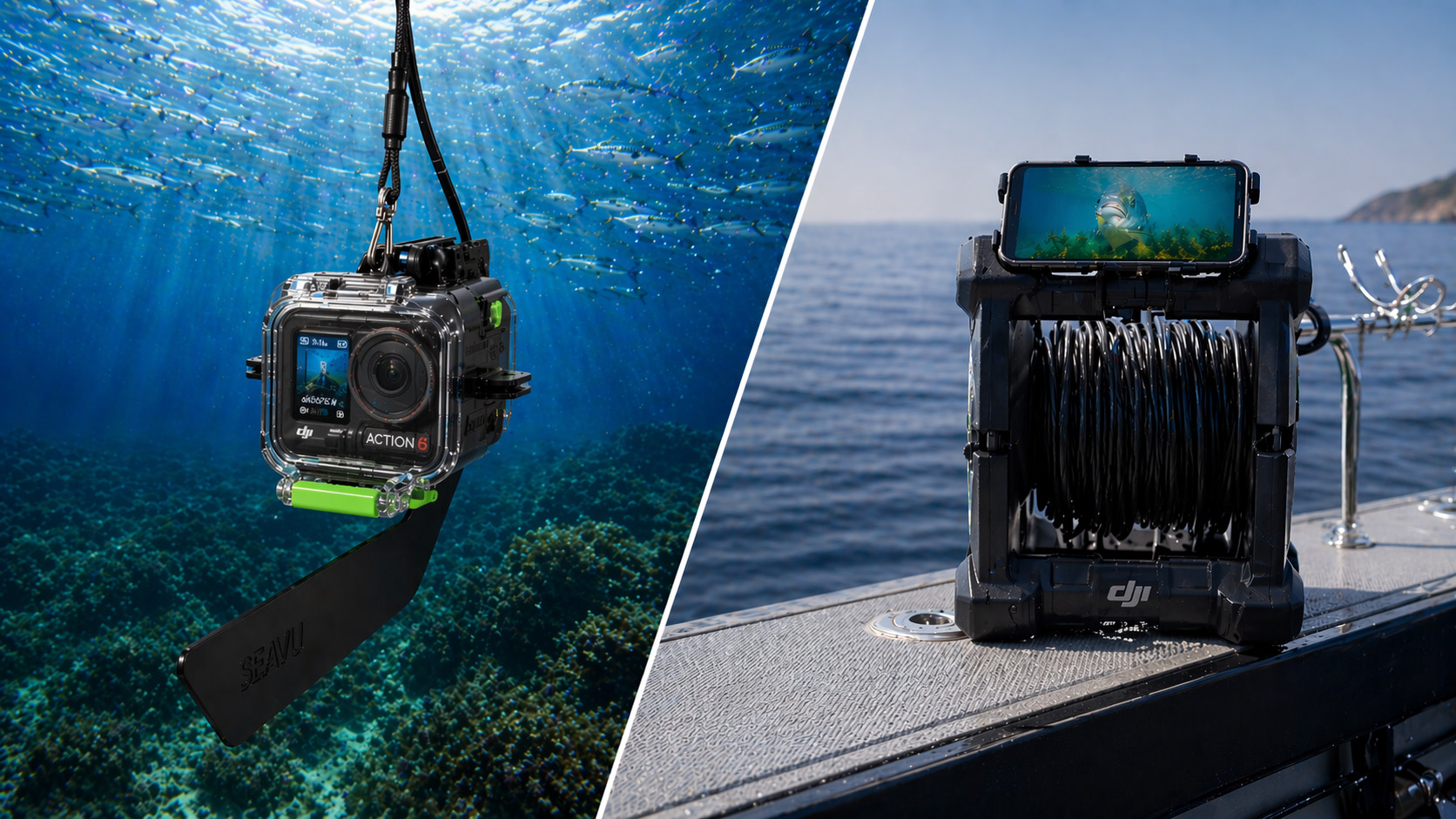
Systems like Seavu allow you to:
With Explorer+ systems, the DisplayPort output from DJI Action 5 Pro and Action 6 can be converted to true HDMI, delivering a high definition live feed to monitors, TVs, or computers.
This removes guesswork and allows for a much more controlled and consistent underwater setup.
These are the recommended settings for the latest DJI cameras, including the Osmo Action 4, 5 Pro, and Action 6.
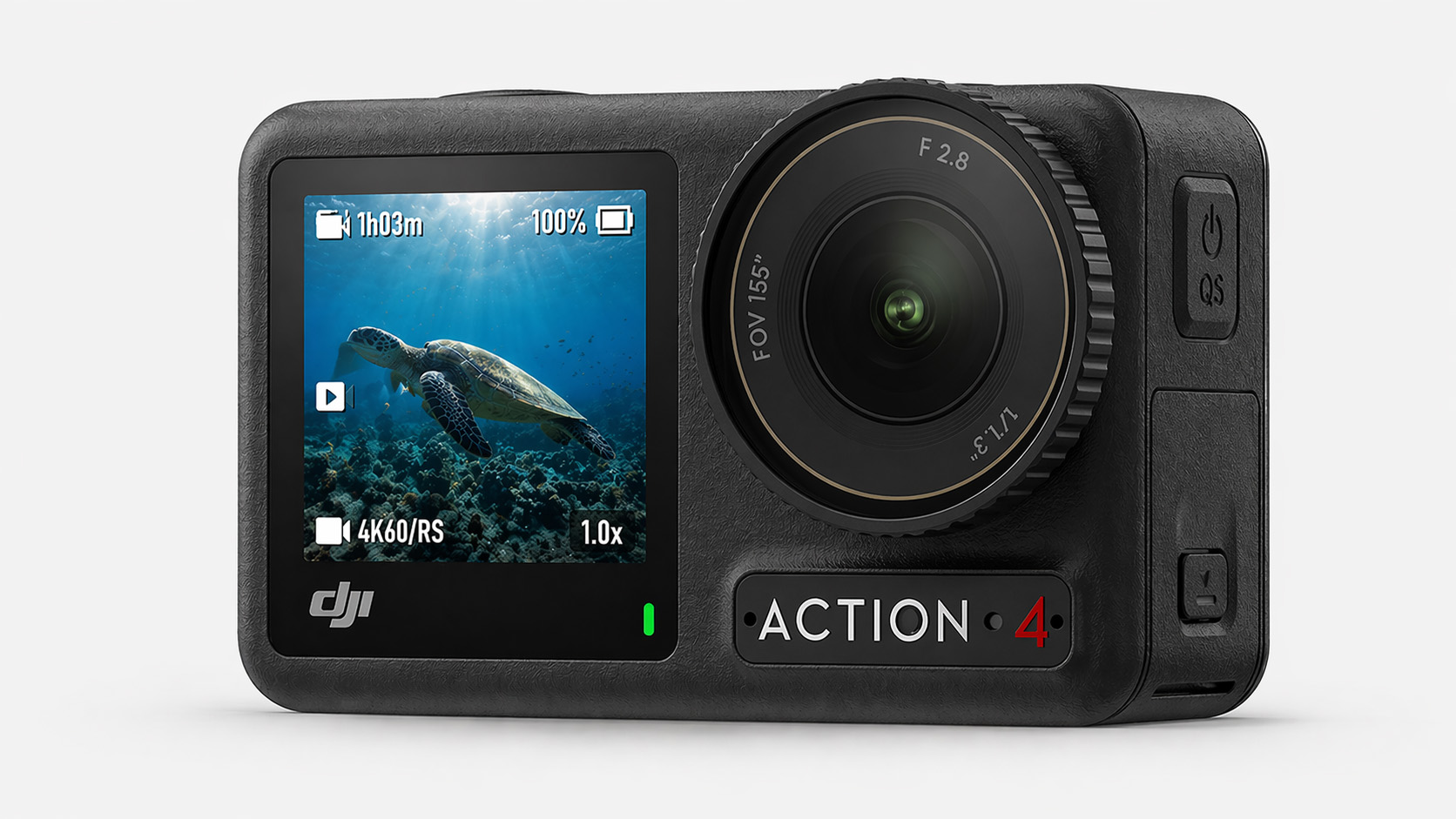
The Action 4 remains a strong and reliable option for most underwater use.
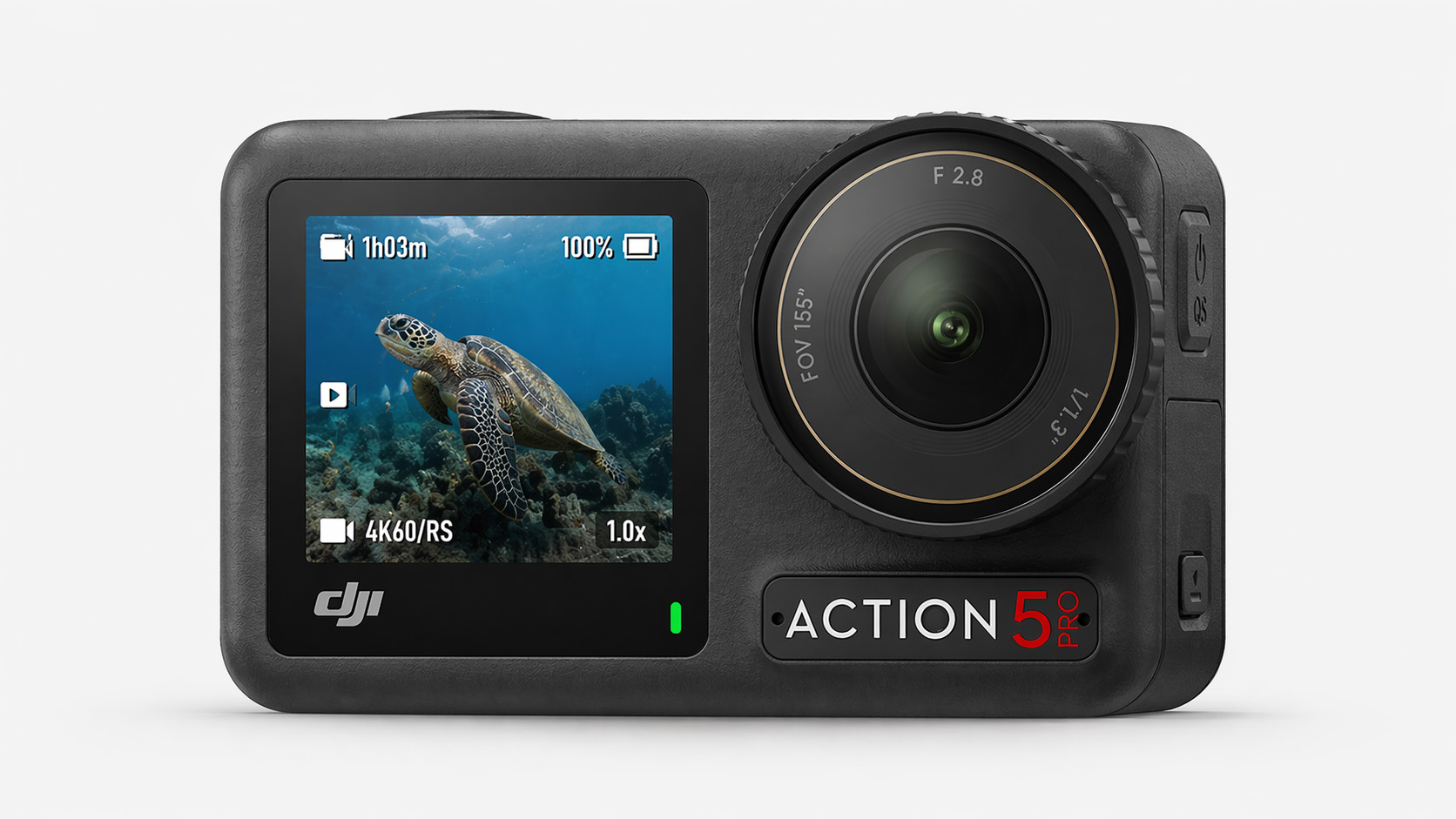
The Action 5 Pro delivers the best overall underwater performance, particularly in low light conditions where its larger sensor makes a noticeable difference.
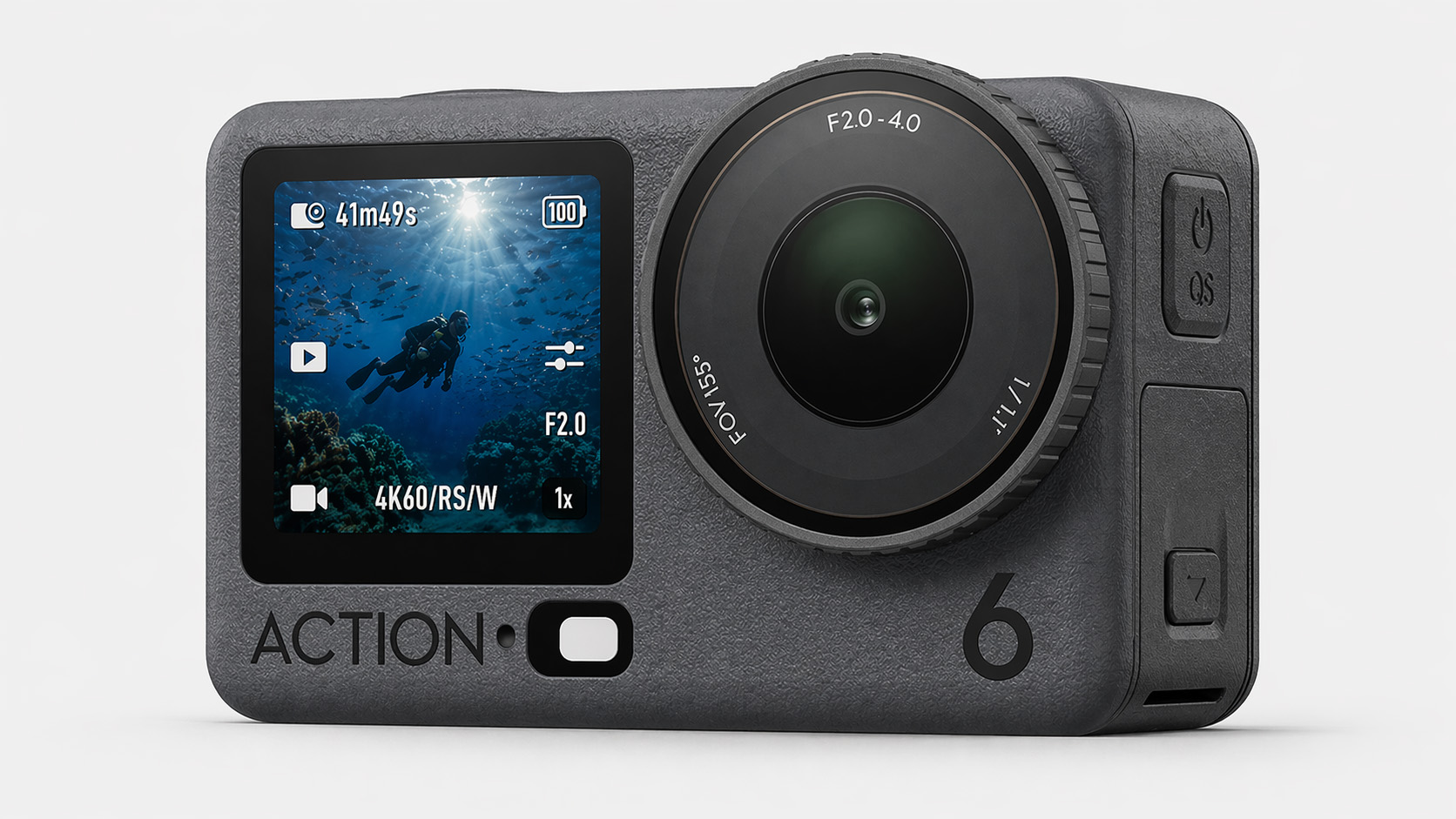
The Action 6 builds on the strengths of the 5 Pro with similar performance and updated processing.
Getting the best underwater footage with DJI action cameras comes down to a combination of the right settings and understanding how conditions change below the surface.
In many situations, especially in deeper water or low light, DJI cameras like the Action 5 Pro and Action 6 have a clear advantage. Their larger sensors produce cleaner, more usable footage where other cameras start to struggle.
That said, even with the right setup, filming underwater without being able to see what your camera is capturing can limit your results.
If you want to take things further, using a live viewing system allows you to see, adjust, and capture footage with far more accuracy. This is where systems like Seavu make a noticeable difference, turning underwater filming from guesswork into a controlled and repeatable process.
Ultimately, the best results come from combining the right camera, the right settings, and the ability to see what is happening in real time.
For any angler, knowing where the fish are biting is half the battle. Over the years, technologies have evolved to aid in locating the best fishing spots. An underwater camera, an often overlooked tool, can offer anglers a real-time and up-close view of the aquatic world, providing several advantages in finding the perfect fishing grounds. Let’s explore how.
The primary advantage of using an underwater camera is its ability to provide a clear picture of what’s happening beneath the water’s surface. Unlike fish finders that interpret sonar data into a graph or an image, underwater cameras provide direct visual feedback. This allows you to see fish species, their size, and behaviour, as well as underwater structures and the bottom composition.
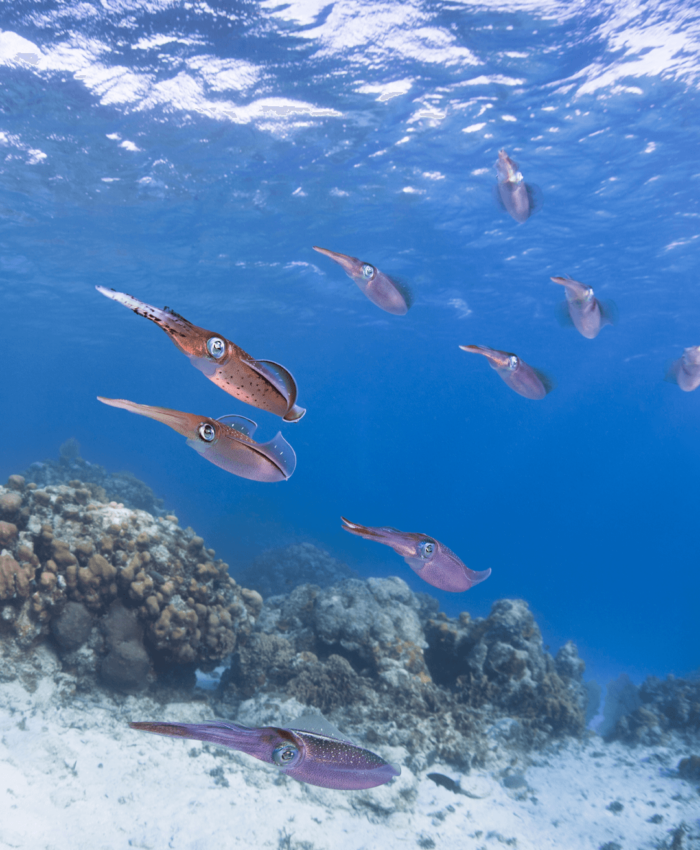
One of the significant benefits of an underwater camera is the ability to locate fish and identify species directly. This can be especially advantageous when you’re targeting a specific species, as it helps eliminate the guesswork involved with traditional fish finders. By identifying the species directly, you can adjust your bait and fishing techniques accordingly to maximize your catch.
Underwater cameras can provide unparalleled insights into fish behaviour. You can observe how fish respond to different types of bait and lure presentations, providing valuable knowledge that can make you a more successful angler. Understanding fish behaviour can also help you determine the best times to fish, giving you an edge in planning your fishing trips.
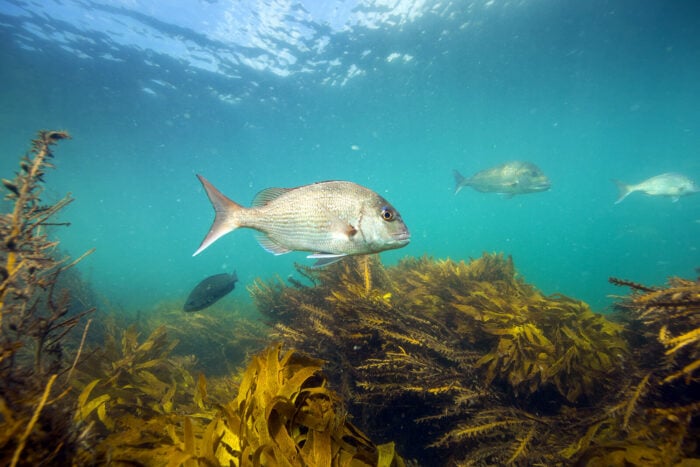
Fish often congregate near underwater structures such as submerged trees, reefs, and drop-offs. Underwater cameras can help you identify these structures with precision, revealing potential hotspots for fish. In addition, understanding the bottom composition—whether it’s rocky, sandy, or muddy—can help you choose the right bait and gear.
Lastly, using an underwater camera adds an element of fun and education to your fishing trips. It’s fascinating to explore underwater environments and see aquatic life in their natural habitats. For those fishing with children, an underwater camera can be an educational tool, sparking interest in marine biology and the environment.
When choosing an underwater camera for fishing, it’s essential to consider factors such as depth rating, image quality, battery life, and ease of use. Cameras like the DJI Action 3 or the GoPro Hero11 Black offer excellent underwater performance, capturing clear, high-quality footage even in low-light conditions. Remember to also look for cameras with durable construction to withstand harsh aquatic environments.
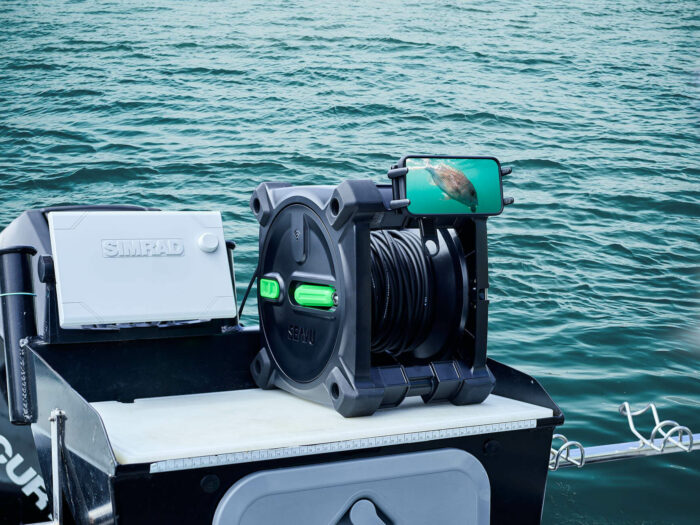
The Seavu Fishing Camera System is designed to enhance your action camera’s versatility across a variety of fishing activities including drifting, trolling, extension pole use or seafloor filming. It boasts an innovative, award-winning design that lets you livestream footage from your action camera directly to your phone. This enhancement gives you a real-time view of what’s happening beneath the waves, making your fishing experience even more interactive and productive.
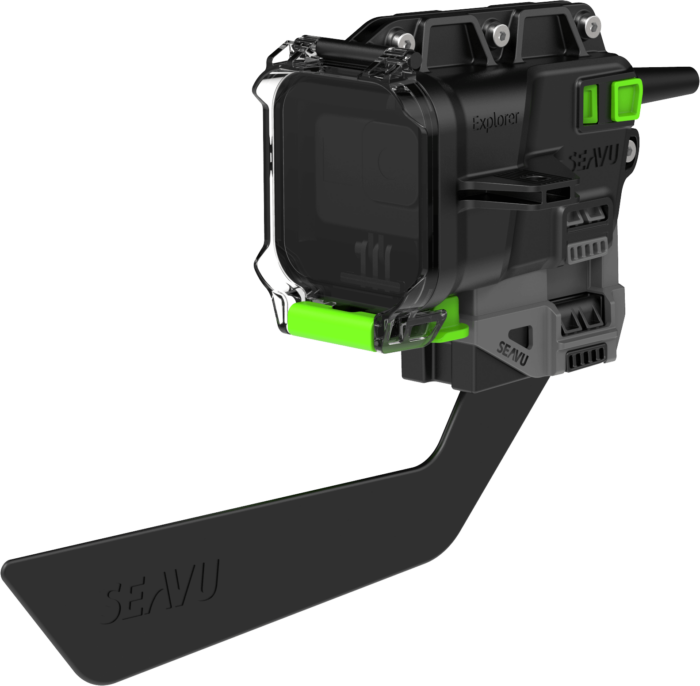
Underwater cameras are an invaluable asset in the quest for rich fishing grounds. By revealing what lies beneath the water’s surface, they offer a significant advantage, allowing you to pinpoint fish species, understand their behaviours, and identify underwater structures with precision. It’s about more than just increasing your catch; it’s about gaining a deeper understanding of the underwater world, enhancing your skills, and becoming a more informed and successful angler.
The integration of underwater cameras with innovative technology such as the Seavu Fishing Camera System further enriches this experience, adapting your action camera for diverse fishing applications and even allowing you to livestream footage to your phone.
So, are you ready to take your fishing experience to the next level? Embark on your next angling adventure equipped with an underwater camera and uncover the hidden mysteries and rich diversity of your favourite fishing spots. Dive in!
When it comes to capturing the vibrant life beneath the waves, the quality of your action camera can make or break your underwater footage. With the DJI Action 3 and GoPro Hero11 Black at the forefront of the action camera market, deciding which one is best for your underwater adventures can be challenging. Let’s dive into a detailed comparison of these two giants in the context of underwater photography.
The DJI Action 3 has been making waves in the action camera market, and it truly shines when taken underwater. Its robust build quality and user-friendly features are only the tip of the iceberg.
– Superior performance in low-light conditions: The DJI Action 3’s enhanced low-light performance ensures that your underwater footage remains clear and vibrant, even in darker, deeper waters.
– Front touchscreen: The DJI Action 3 features a front touchscreen, making it easier to frame your shots and control the camera underwater.
– Live preview via Mimo App: With the DJI Mimo app, you can live preview your footage while recording – a handy feature when you’re trying to capture that perfect underwater shot.
– Lower resolution: The DJI Action 3 does not support 5.3K resolution, which might be a drawback for those seeking the highest possible resolution.
The GoPro Hero11 Black builds upon the impressive legacy of its predecessors, offering a range of features that make it a worthy contender for underwater photography.
– High resolution: The GoPro Hero11 Black offers 5.3K resolution, ensuring crisp and detailed underwater footage.
– Superior image stabilization: The GoPro Hero11 Black’s top-notch image stabilization ensures smooth footage, even in turbulent underwater conditions.
– Lower low-light performance: The GoPro Hero11 Black’s low-light performance isn’t as robust as that of the DJI Action 3, which may result in darker, less detailed footage in certain underwater conditions.
– No live preview while recording: Since the GoPro Hero 9, live preview during recording has been disabled in the GoPro Quik app, which may affect your ability to frame your shots when the camera is beyond reach.
While the GoPro Hero11 Black offers higher resolution and superior image stabilization, the DJI Action 3 truly stands out when it comes to underwater photography due to its superior low-light performance and live preview feature. Underwater environments can often be dim and unpredictable, making these features invaluable for capturing high-quality footage.
Additionally, the front touchscreen on the DJI Action 3 enhances its usability underwater. Being able to easily adjust settings and frame your shots can significantly improve your underwater photography experience.
When choosing the best action camera for underwater footage, it’s important to consider the unique challenges of underwater photography. Low-light performance, ease of use, and the ability to preview your footage are crucial factors.
With its superior low-light capabilities and live preview feature, the DJI Action 3 emerges as a strong contender for the best underwater action camera. While the GoPro Hero11 Black does offer higher resolution and fantastic image stabilization, the lack of live preview during recording and lower low-light performance might limit its utility in deeper or murkier waters.
Ultimately, the decision between the DJI Action 3 and the GoPro Hero11 Black will depend on your specific needs and priorities. Whether you’re exploring a coral reef or diving into the deep blue sea, both cameras are more than capable of capturing your underwater adventures in stunning detail.
Trolling is an exciting fishing technique that allows anglers to cover more water and entice a wide range of game fish. To enhance your trolling adventures and capture incredible underwater footage, the Seavu Swim Kit is the perfect companion. In this blog post, we will explore the benefits of using the Seavu Kit when trolling and how it can elevate your fishing experience to new heights.
One of the key benefits of the Seavu Swim Kit during trolling is the real-time visibility it provides. With its durable 27-metre reel and built-in transmitter, the kit ensures continuous visibility under the water even when your action camera is trailing far behind your boat. This allows you to monitor the action in real time, observe the behavior of game fish, and make immediate adjustments to your trolling strategy. The live stream solution eliminates the guesswork and enhances your ability to target and entice fish effectively.
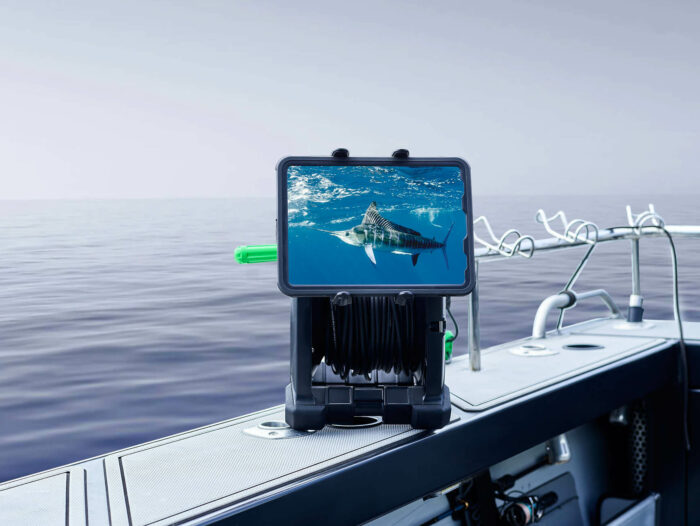
Trolling is all about enticing fish to strike, and the Seavu Swim Kit excels at capturing those thrilling moments. The kit’s dedicated trolling fin is designed to troll steadily at a depth of 1 metre below the surface, even at speeds of up to 8 knots. Its innovative release clip system allows you to attach your line with a lure or bait rig, providing a front-row seat to view and capture strike action in real time. This feature not only adds excitement to your trolling experience but also provides valuable insights into fish behavior, allowing you to fine-tune your trolling techniques and increase your catch rate.
The Seavu Swim Kit empowers you to fine-tune your trolling techniques like never before. With the ability to observe the underwater environment and fish reactions in real time, you can experiment with different trolling speeds, lure presentations, and bait rigs. By making on-the-spot adjustments based on the live stream footage, you can optimize your trolling tactics to match the preferences of the game fish you are targeting. This level of precision and adaptability significantly increases your chances of success on every trolling outing.
Trolling is an adventure filled with excitement and anticipation, and the Seavu Swim Kit allows you to capture and relive those unforgettable moments. With the ability to livestream and record underwater footage, you can document your trolling expeditions and create lasting memories. Share your videos with fellow anglers, friends, and family, and immerse them in the thrill of your trolling adventures. The Seavu Swim Kit becomes not only a practical tool for fishing but also a medium for storytelling and sharing the joy of the sport.
The Seavu Swim Kit is a game-changer for trolling enthusiasts who want to take their fishing experience to the next level. With real-time visibility, the ability to capture strike action, and the opportunity to fine-tune your trolling techniques, this kit enhances your chances of success and maximizes the excitement of every trolling outing. Whether you’re targeting trophy fish or simply enjoying the thrill of the chase, the Seavu Swim Kit will be your trusted companion. Embrace the power of live-streaming underwater footage, create lasting memories, and elevate your trolling adventures with the Seavu Swim Kit.