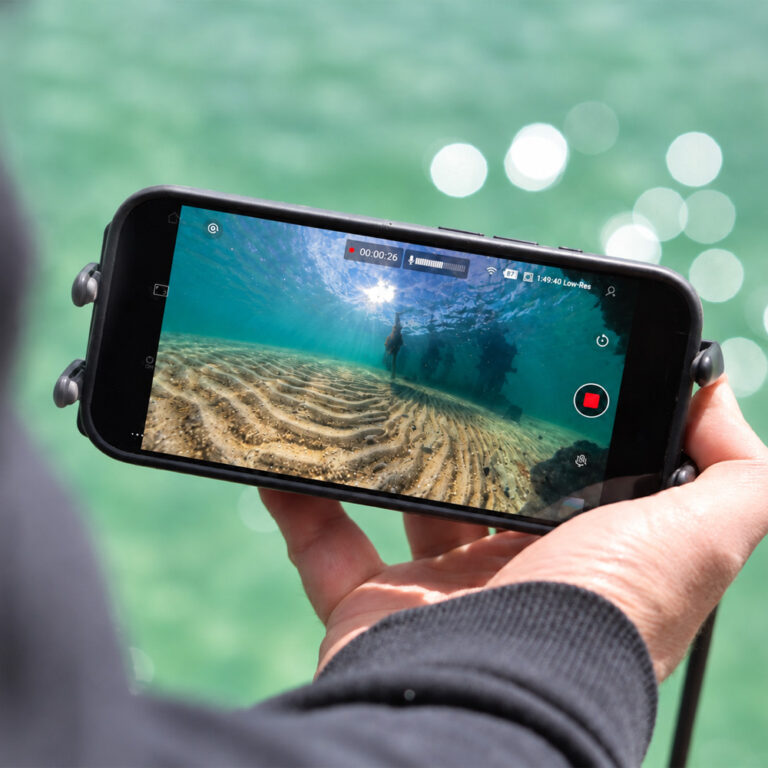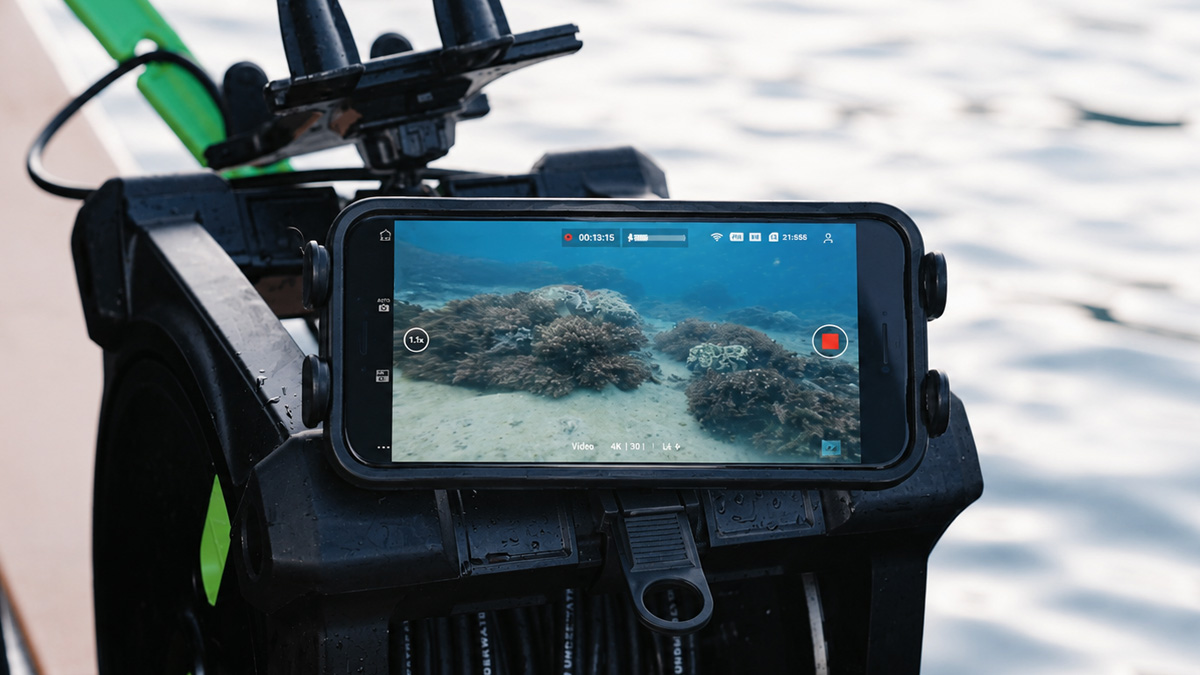
Live view from the surface for dives, snorkelling and dive training
Choosing an underwater camera for scuba diving usually comes down to image quality and depth rating. But there is a second question that matters just as much when other people need to see the dive: can anyone watch the footage in real time? A diver carrying a GoPro or DJI can record beautiful video, yet nobody at the surface sees any of it until the camera comes back up. Not the instructor, not the boat crew, not the group waiting their turn.
This guide is about closing that gap. It explains how to get a live underwater feed to a phone or tablet at the surface while a diver or camera is below, and where that live view genuinely helps: dive schools, boat-based supervision, snorkelling and spearfishing, scouting new dive sites, running a safety check before you get in, and livestreaming or filming a dive. It is not about the camera a solo diver carries for their own view. It is about letting the people above the water see what is happening below, as it happens.
Why you can’t see a diver’s camera feed in real time
Action cameras such as the GoPro HERO and DJI Osmo Action range rely on Wi-Fi and Bluetooth for live preview and app control. Those signals work well in air, but they stop almost immediately underwater. Water absorbs the high-frequency 2.4GHz and 5GHz bands these cameras use, so the moment a camera is submerged the live feed and remote control drop out.
This is a physics limitation, not a fault with the camera, and it affects every current GoPro and DJI model. We explain it in detail in our guide on why Wi-Fi and Bluetooth don’t work underwater. The practical upshot for diving is simple: without a physical connection to the surface, nobody topside can watch the dive live.
How an underwater camera for scuba diving gets a live feed to the surface
Seavu systems solve this by carrying the camera’s signal to the surface through a marine-grade tether instead of trying to push a wireless signal through water. The camera sits in a waterproof housing below; the tether relays its Wi-Fi and Bluetooth connection up to a transmitter at the surface; and that connection reaches your phone or tablet, where you watch live in the camera’s own app (GoPro Quik or DJI Mimo) and still control recording and settings.
The result is a stable, real-time view of the underwater scene on a screen everyone above the water can gather around. For a broader explanation of how live underwater video works across activities, see our guide on how to get a live video feed from your action camera underwater and our practical walkthrough of livestreaming underwater footage with GoPro or DJI.
Who a live dive view is for
An underwater camera for scuba diving earns its keep in very different ways depending on who is holding the screen. These are the situations where a surface live view makes the biggest difference.
Dive schools and instructors
Watching a student’s technique from the surface changes how you teach. With a live feed, an instructor can see trim, finning, buoyancy and mask work as they happen, then talk through it immediately after the dive using the footage as a reference. It also lets the rest of a group learn from the deck while they wait their turn, rather than taking it in turns to guess at what went well. This is the same real-time-feedback principle behind our underwater camera for swim coaching, applied to open water and pool dive training.
Dive boats and surface supervision
On a dive boat, a live view is a safety and situational-awareness tool. Surface crew can keep eyes on divers near structure, monitor a shot line or anchor, and check conditions below before the next group enters. Being able to see rather than assume what is happening underwater makes supervision far more concrete.
Snorkelling and freediving groups
Not everyone in the group wants to be in the water. A live feed lets people on a boat, jetty or shoreline watch reef life, marine encounters and freedivers in real time on a phone or tablet. That suits families, tours and mixed-ability groups where some would rather stay dry.
Spearfishing
Spearfishing rewards knowing what is below before you commit to a breath-hold dive. Lowering a camera from the boat or the surface lets you scout structure, reef and bait, and see which fish are holding and where, so you can choose your spot with a clear picture rather than a guess. Because you are watching live on a phone or tablet, you can reposition and keep looking until you find the right ground, then get in knowing exactly what you are diving on.
Scouting new dive sites and pre-dive safety checks
Before entering unfamiliar water, it pays to look first. A live feed from the surface lets you check a new site for visibility, depth, structure, current and marine life, and confirm a safe entry and exit, all without putting anyone in the water. For dive leaders and spearos exploring new ground, that turns a blind first descent into an informed one and adds a simple, repeatable safety check to any dive plan.
Livestreaming and filming dives
Because the feed surfaces to a normal device, it can be sent onward: mirrored to a larger screen, recorded from the deck, or pushed to a livestream for an audience or event. For anyone producing dive content, seeing the shot live means you frame it right the first time instead of discovering problems back on land.
Real example: finding fish without the sharks
On a recent spearfishing trip, James and Jacqui pulled up to find sharks working the area. Not the conditions anyone wants to drop into blind. Rather than guess, they lowered the Seavu Seeker Marine Kit and watched the ground below on their phone before getting in. Within minutes they had found clean ground away from the sharks, spotted where the fish were holding, and picked a safe spot to enter.
It is a simple move that makes a real difference: see what is below before you dive. The short clip below shows exactly how it played out.
What you need for a live dive feed
Putting together an underwater camera for scuba diving with a live view takes four things, and most divers already own the first:
- A GoPro or DJI action camera in a waterproof housing rated for your planned depth
- A Seavu live-view kit (Seeker Pole Kit, Seeker Marine Kit, or Explorer Adventure Kit)
- The GoPro Quik or DJI Mimo app
- A phone or tablet (iOS or Android)
Depth matters here, and it is worth getting right. The live view from an underwater camera for scuba diving can only go as deep as your housing and tether allow, so match the housing to the dive rather than trusting the number on the box. Our guide to underwater camera housing depth ratings explains how to read those figures properly.
Choosing the right Seavu kit for diving
The right kit comes down to how deep you need to see and how you are working, whether that is from a pool deck, a boat, or drifting over a reef. All three run on your GoPro or DJI camera and its native app, so the real difference is reach, depth and how stable the camera stays in the water.
| Kit | Best for | Live view depth | Stability |
|---|---|---|---|
| Seeker Pole Kit | Pool training, shallow shore dives, quick checks alongside the boat | Up to 10m | Pole mounted or hand held |
| Explorer Adventure Kit | Drifting reefs, scouting new sites, trolling | Up to 27m | Included weight and drift fin |
| Seeker Marine Kit | Boat-based diving, deeper reef, surface supervision in current | Up to 52m | Seeker Current Fin |
Seeker Pole Kit: pool training and shallow shore dives (up to 10m)

Pole-mounted or hand-held from the surface, the Seeker Pole Kit gives you reach and control in close. It is the pick for pool coaching, shallow shore dives and quick checks alongside the boat, with a live view down to around 10m.
Seeker Marine Kit: boat-based diving and deeper water (up to 52m with the Seeker Current Fin)

The Seeker Marine Kit has the deepest reach in the range. Fitted with the Seeker Current Fin, it holds a stable live view down to around 52m, even in current. That makes it the workhorse for boat-based diving, spearfishing over deeper reef, dropping to structure, and surface supervision when there is water movement.
Explorer Adventure Kit: drifting and covering ground (up to 27m with the included weight and drift fin)
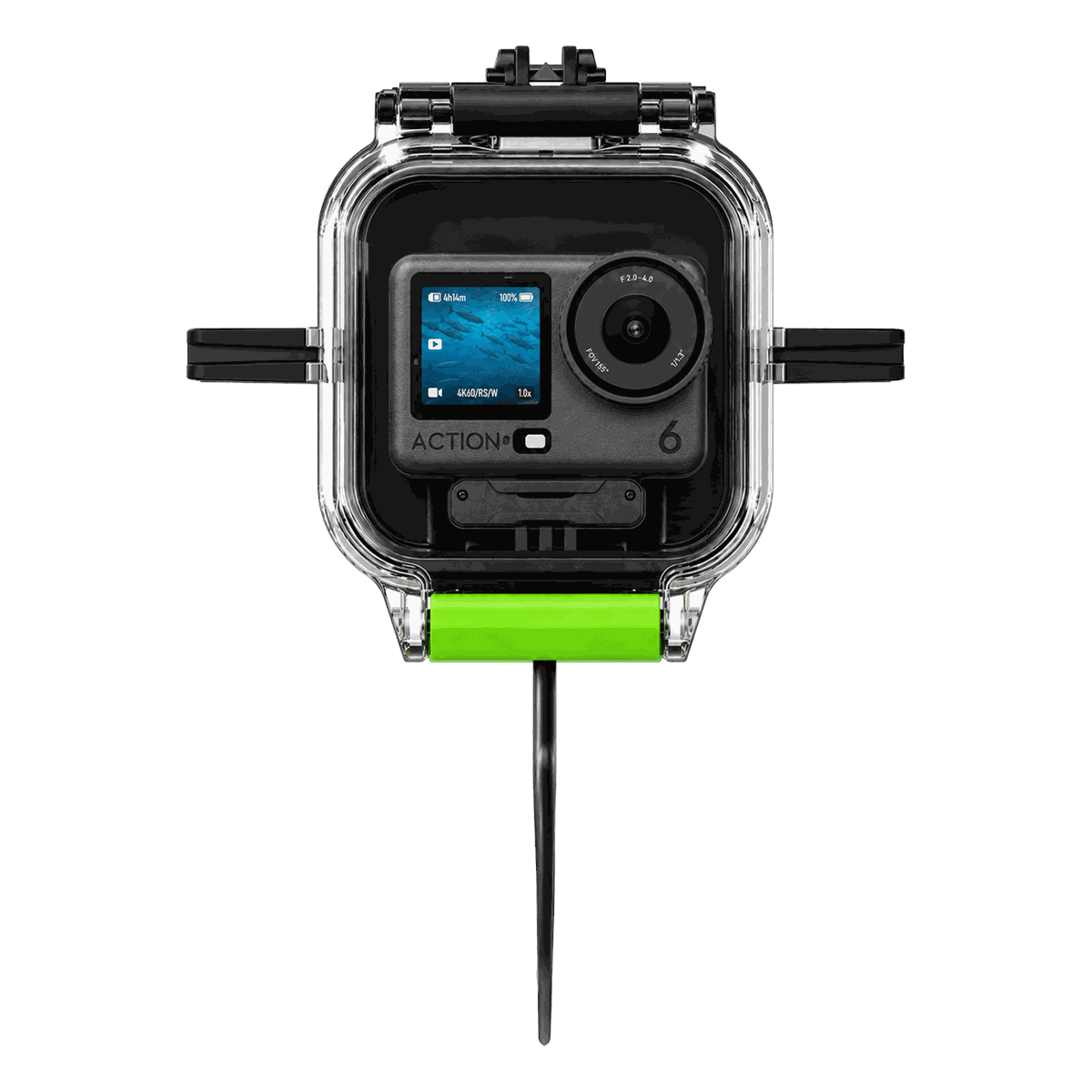
The Explorer Adventure Kit comes with a weight and drift fin that keep the camera steady while you drift or move, with a live view to around 27m. It is the one for covering ground. Drifting reefs, scouting new sites and trolling, where you want a stable picture on the move rather than a fixed drop.
Whichever you choose, they all use your camera’s native app, so there is nothing new to learn beyond attaching the system. If you are weighing up cameras as well as kits, our roundup of the best underwater camera for live footage compares the leading GoPro and DJI options for real-time viewing.
Final thoughts
An underwater camera for scuba diving does not have to be something only the diver benefits from. With a tethered live-view system, everyone at the surface can see the dive as it happens, from instructors and crew to groups and audiences. That turns footage which used to be reviewed hours later into a shared, real-time view. To find the right setup for your diving, snorkelling or dive-training use, explore the range at seavu.com.